- The Neural Frontier
- Posts
- Google Workspace gets a Gemini upgrade!
Google Workspace gets a Gemini upgrade!
Also: Perplexity unveils Personal Computer, while Microsoft rolls out Copilot Cowork 💻.

The Neural Frontier
March 13, 2026
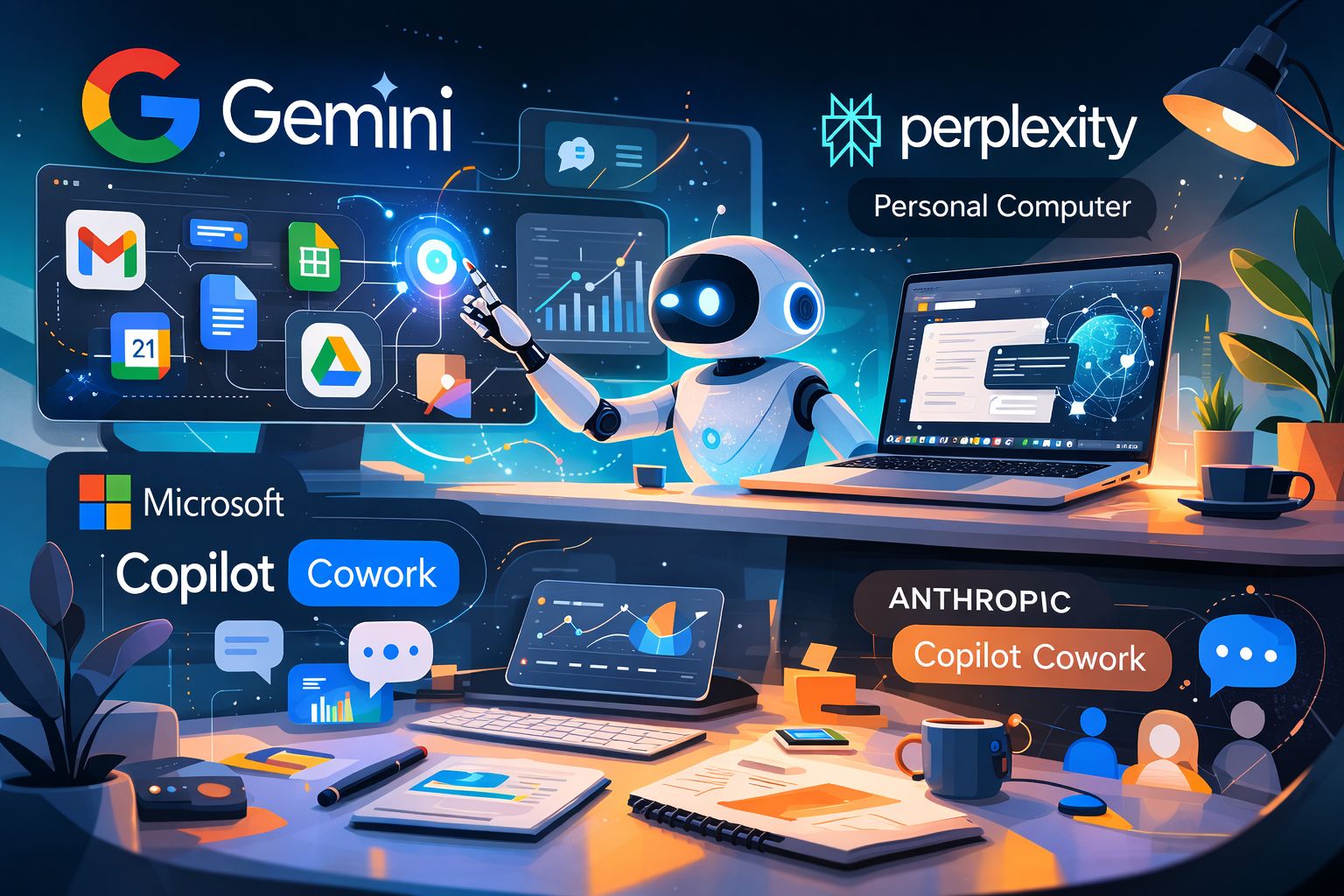
Your favorite AI companies simply won’t stop shipping, and we’re here for it!
Welcome to issue #149 of the Neural Frontier!
If the headlines are any indication, this is going to be an interesting one, if we do say so ourselves 😏. Let’s unpack!
In a rush? Here's your quick byte:
🤖 Google Workspace gets a Gemini upgrade!
🧑💻 Perplexity unveils Personal Computer.
💻 Microsoft rolls out Copilot Cowork!
⚡ The Neural Frontier’s weekly spotlight: 3 AI tools making the rounds this week.

Source: Google
Google is rolling out a new set of Gemini-powered features across Docs, Sheets, Slides, and Drive, aimed at helping users move from blank pages to finished work faster.
The updates focus on one idea: turning Gemini into an active collaborator across Workspace, capable of pulling context from your files, emails, and the web to generate drafts, analyze data, and surface insights.
The features are launching in beta for Google AI Ultra and Pro subscribers.
📝 Gemini in Docs: From blank page to finished draft
Gemini in Docs is getting new capabilities designed to help users write, refine, and standardize documents faster.
New features include:
Instant first drafts: Describe what you need — like a newsletter or project brief — and Gemini can generate a draft using relevant files, emails, and meeting notes.
Smart editing and refinement: Ask Gemini to revise sections, adjust tone, or improve clarity across a document.
Style and formatting matching: Two new tools help maintain consistency:
Match writing style to align tone across a document
Match the doc format to replicate the structure of a reference file
The goal is to make Gemini function less like a chatbot and more like a built-in writing partner inside Docs.
📊 Gemini in Sheets: Build spreadsheets with a prompt
Sheets is also becoming more automated, with Gemini capable of creating and expanding spreadsheets from natural language instructions.
Key updates include:
Prompt-based spreadsheet creation
“Fill with Gemini” for faster data completion
Automated dashboards and tables
Instead of manually building spreadsheets, users can now generate working tools in seconds.
📊 Gemini in Slides: From idea to presentation
Slides is getting deeper design and content generation support.
Gemini can now generate new slides based on prompts, align designs with an existing deck theme, edit slides collaboratively with natural language commands
Google is also developing a feature that will generate full presentations from a single prompt, pulling context from relevant files and emails.
📂 Gemini in Drive: Ask questions across your files
Google Drive is evolving from a storage system into a searchable knowledge layer powered by Gemini.
Two major additions include:
AI Overview in search results: Natural-language searches now return summarized answers from your files — with citations — before you even open a document.
Ask Gemini in Drive: Users can ask complex questions across documents, emails, calendars, and the web.
For example, you could select tax documents and ask Gemini what questions to ask your accountant — and get a response grounded in your actual files.
🚀 Availability
These features are rolling out in beta for Google AI Ultra and Pro subscribers:
Docs, Sheets, and Slides: available globally in English
Drive: initially launching in the U.S.

Source: Perplexity
After introducing Perplexity Computer last month, the company is expanding the concept into a broader ecosystem of tools — spanning personal AI systems, enterprise deployments, developer APIs, and financial research capabilities.
The core idea remains the same: AI should function as the computer itself — able to understand goals, orchestrate tools, and continue working autonomously.
Now Perplexity is extending that model across multiple layers.
🧑💻 Personal Computer: an AI system that runs 24/7
Perplexity’s first major expansion is Personal Computer, a system designed to act as a persistent digital proxy for an individual user.
It runs on a dedicated Mac mini, operating continuously and connecting local applications with Perplexity’s cloud infrastructure.
The result is an AI system that can:
Access local files and apps
Orchestrate workflows across tools
Continue tasks while the user is offline
Be controlled from any device
Security features include approval requirements for sensitive actions, full audit logs, and a kill switch for immediate shutdown.
🏢 Computer for Enterprise
Perplexity is also bringing the same system into corporate environments with Computer for Enterprise.
The platform integrates directly with common enterprise tools, including:
Snowflake
Salesforce
HubSpot
Hundreds of other business platforms via connectors
That allows teams to run cross-system queries and workflows without manually writing queries or moving data between tools.
Examples include:
Analysts pulling revenue data from Snowflake while combining CRM insights
Teams generating dashboards, financial models, or presentations directly from enterprise data
Automated workflows triggered through Slack conversations
According to Perplexity’s internal testing across 16,000 queries, the system completed 3.25 years of work in four weeks, saving roughly $1.6 million in labor costs.
🌐 Comet Enterprise: an AI-native browser for organizations
Perplexity is also launching Comet Enterprise, a managed version of its AI-native browser.
Because much of modern work happens inside browsers, Comet focuses on understanding context across tabs and automating repetitive workflows.
Enterprise controls include:
Domain-specific permission rules
Session action logs for administrators
Browser policies and deployment through MDM systems
Security integrations with CrowdStrike
These controls allow companies to decide where the AI assistant can act and where it can only observe.
🧰 New APIs for developers
The company is also expanding its platform for developers with four new APIs:
Search API – grounded information retrieval
Agent API – multi-step task delegation
Embeddings API – improved search and ranking systems
Sandbox API – secure execution environments for AI tasks
These APIs expose the same building blocks used internally by Perplexity Computer — including cited outputs, multi-model routing, and tool-based task execution.
🧠 The bigger idea
Across these launches — Personal Computer, Enterprise systems, and APIs — Perplexity is pushing a single thesis:
AI should not just assist with tasks. It should coordinate tools, gather context, and execute workflows end-to-end.
Instead of interacting with separate apps and models, users interact with a system that orchestrates them all.
Perplexity calls this shift simply: “Everything is Computer.”
Source: Microsoft
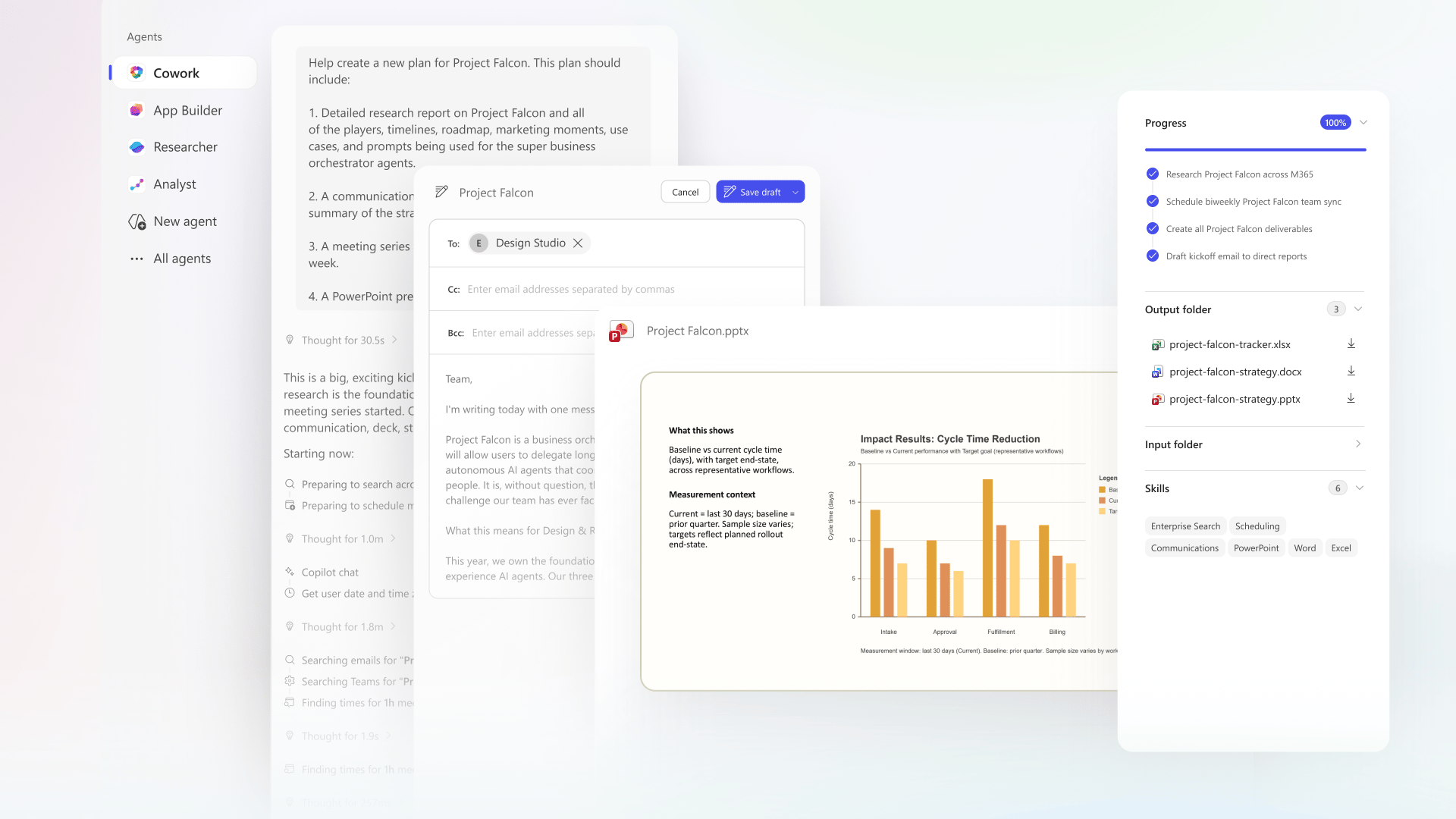
Microsoft is pushing Copilot beyond chat with Copilot Cowork, a new system designed to help AI execute real work across Microsoft 365 instead of simply answering questions.
The idea is straightforward: describe the outcome you want, and Copilot plans, coordinates, and completes the work across your apps.
Cowork turns Copilot into something closer to a digital teammate — one that can run workflows, manage tasks in the background, and check in when human input is needed.
⚙️ From intent to execution
Copilot Cowork is built around a plan-to-action loop.
When a user hands off a task, Cowork:
Understands the goal
Pulls context from emails, meetings, messages, files, and data
Builds a plan of tasks
Executes the work in the background
Checks in for approvals or clarification
The system is powered by Work IQ, which draws signals from across Outlook, Teams, Excel, and the broader Microsoft 365 ecosystem so the agent can act with real workplace context.
Users stay in control: suggested actions require approval, tasks can be paused, and progress is visible throughout.
💼 What Cowork looks like in practice
Microsoft shared several examples of how Cowork turns simple requests into coordinated workflows.
📅 Calendar triage: Cowork reviews your Outlook calendar, identifies conflicts or low-priority meetings, and proposes changes. After approval, it can reschedule meetings, decline invitations, block focus time, and prepare briefing materials.
📊 Meeting preparation: Preparing for a customer meeting can become a full workflow. Cowork gathers inputs from emails and files, schedules prep time, and generates deliverables, including:
A briefing document
Supporting analysis
A customer-ready slide deck
A draft follow-up email
🔎 Company research: For deeper research tasks, Cowork gathers sources like SEC filings, earnings reports, and news coverage, then packages the output into usable formats:
Executive summary for email
Structured research memo
Excel workbook with supporting data
🚀 Product launch planning: Cowork can coordinate multi-step workflows such as product launches — building competitive comparisons, drafting positioning documents, generating pitch decks, and outlining milestones and owners.
🔐 Built for enterprise environments
Cowork runs inside Microsoft 365’s existing security framework, meaning:
Identity and permissions apply automatically
All actions and outputs are auditable
Tasks run inside a sandboxed environment
This allows the system to continue working safely in the background across devices and workflows.
🧠 A multi-model Copilot strategy
Microsoft also revealed that Copilot Cowork integrates Anthropic’s Claude Cowork technology, signaling a broader multi-model approach.
Instead of relying on a single model provider, Microsoft says Copilot can select the best model for a given task, incorporating innovations across the AI ecosystem.
Copilot Cowork is currently in research preview with a limited group of customers, with broader access expected through Microsoft’s Frontier program later in March 2026.
⚡ The Neural Frontier’s weekly spotlight: 3 AI tools making the rounds this week.
1. 🎨 Kodo is an AI design tool that generates professional posters, presentations, menus, and social media graphics from text prompts in seconds.
2. 🎓 Coursekit is a platform that transforms course sales pages and curricula from platforms like Teachable, Thinkific, and Kajabi into suites of custom-branded AI tools and agents.
3. 🤖 Spinach is an AI meeting assistant that automatically transcribes, summarizes, and extracts action items from meetings in 100+ languages, integrating with existing tools to create tickets, send recaps, and update CRMs.
Wrapping up…
If this week made one thing clear, its that AI companies are no longer just shipping features, they’re reshaping how work gets done. Google wants Gemini woven into your everyday workflow, Perplexity is betting on AI as a persistent operating layer, and Microsoft is pushing Copilot further into execution mode.
It’s a lot to keep up with, but thankfully, you don’t have to do it alone. Keep an eye on your inbox, share this issue with someone in your corner of the internet, and we’ll catch you next week on the Neural Frontier! 👋